ISV Activation on SARS eFiling
The following page will provide guidance on how to activate Konsise as an ISV within SARS.
Login to eFiling

Once logged in, click on the “Organisations” tab on the top right menu

On the Organisation menu on the left hand side of the screen, click on “ISV Activation”

On the ISV Activation page, under “User Details” you will see a dropdown list for ISV Application.
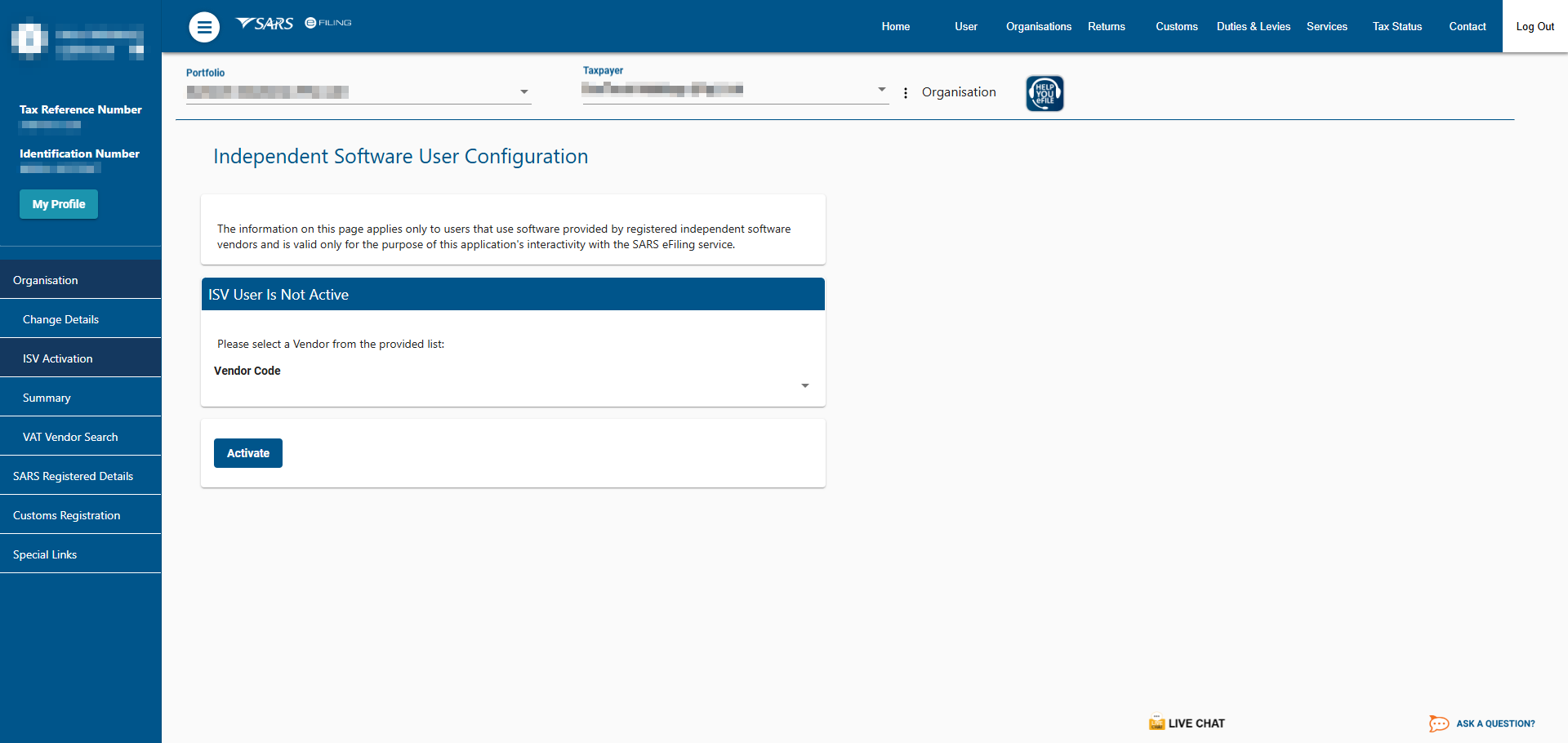
Select “KONSISE” on the drop down list. A unique Login Key is generated.
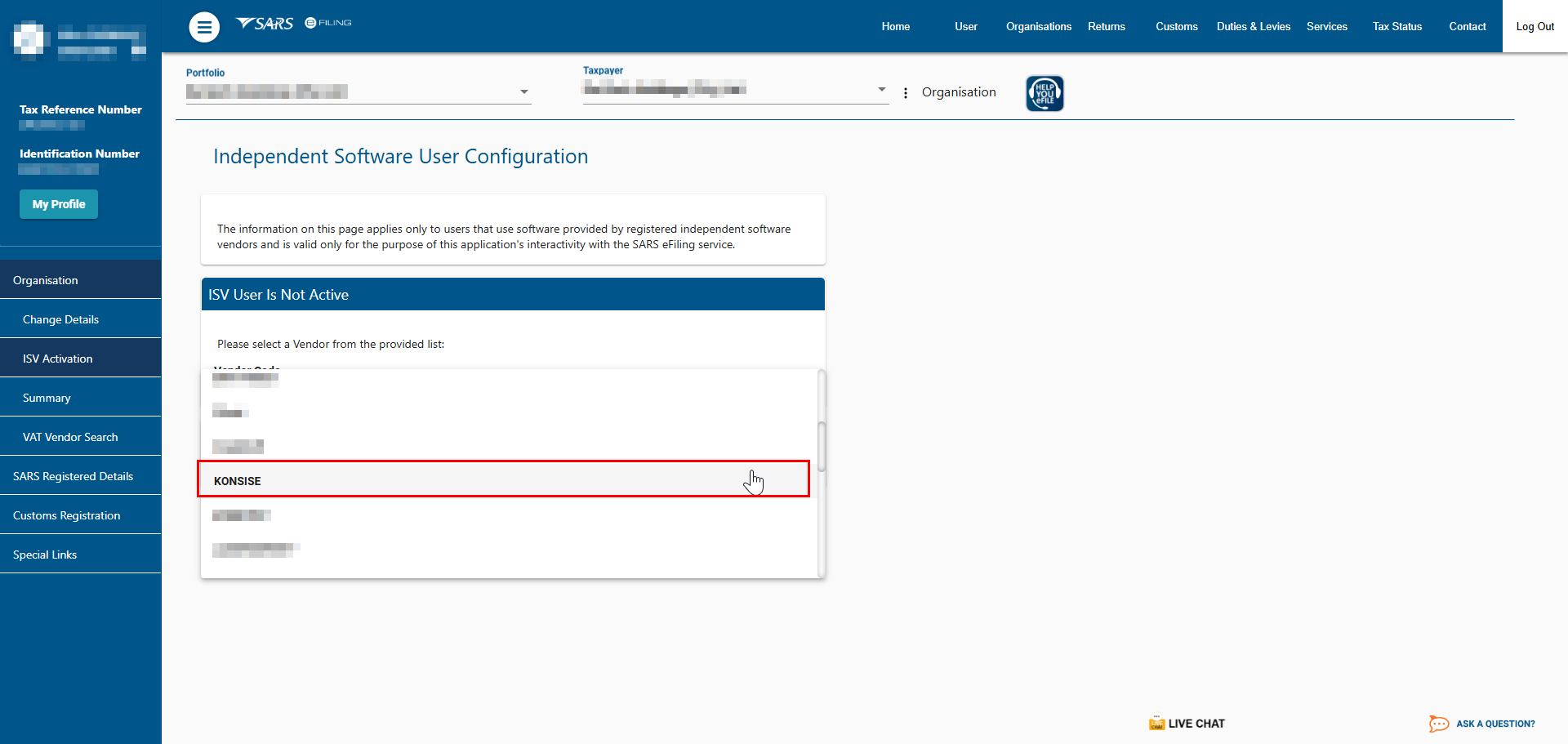
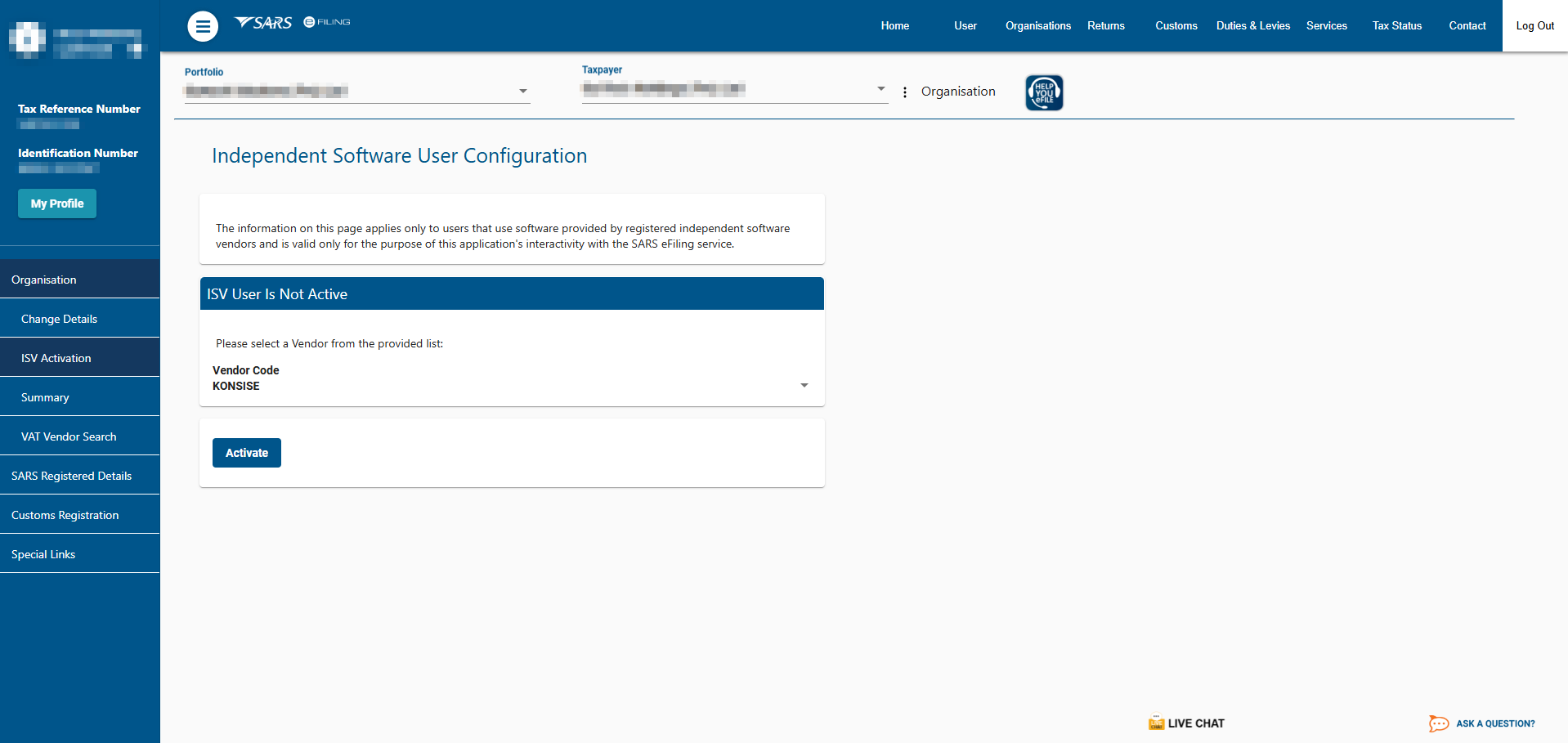
Click on the “Activate” button directly below the Login Key. (Once Activated the “Activate” button no longer appears on the page).
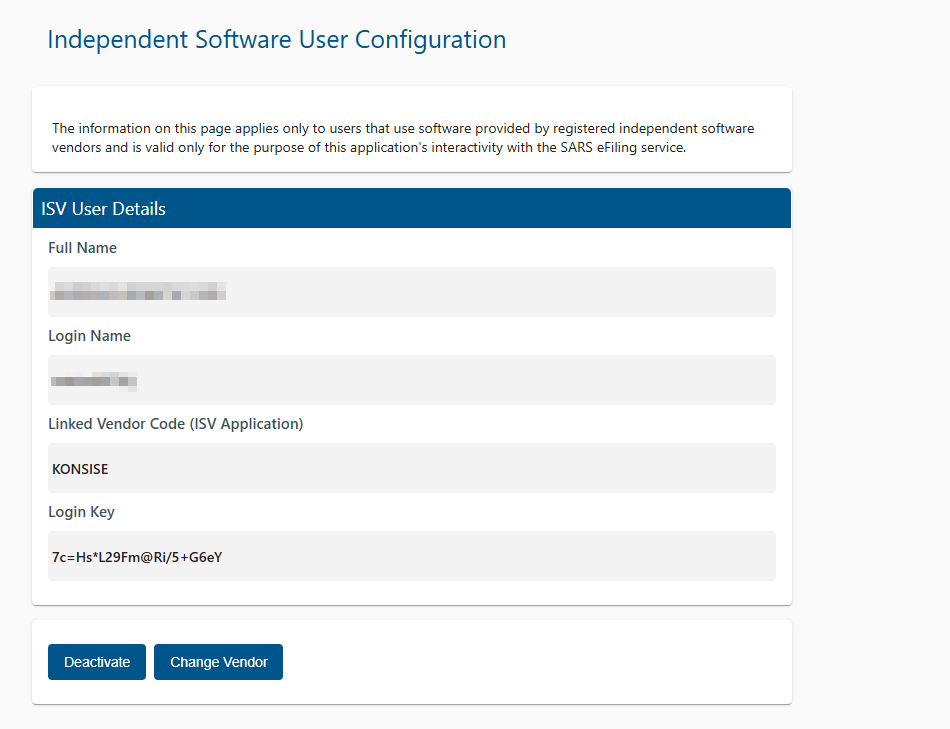
The login key displayed on the page will now be used as the key to sync this user profile to the Konsise platform.
Please Note:
- Check that all the companies within your eFiling profile that you would like to integrate have been activated on the ISV Activation page. If not, please follow the steps above to activate all applicable companies.
- Please save the Login and unique Login Key per company/ taxpayer, as this will be used in the next step to complete the sync to Konsise.
Related Articles
Sync between Konsise and SARS
Please note: This process will only occur once Konsise has been activated as an ISV on SARS eFiling Follow the steps below to finalize the sync process: Go to “Connections” on the top navigation bar: Click on Create Revenue Service Connection Select ...IRP6 Integration
What is it? You can now complete your IRP6 return on Konsise, save all calculations and working papers and submit your return directly to SARS eFiling. The integration also ensures that any SARS Correspondence issued related to your return is ...Benefits of integrating to SARS
The following table displays which tax filings are available for integration to SARS, as well as the type of the integration available: Tax filing Push submissions Pull Correspondence VAT201 IRP6 ITR14 Push submissions: Submit your VAT201 and IRP6 ...SARS Data: Timing of Retrieval of Correspondence & Viewing SARS Correspondence
Introduction When integrated to SARS, Konsise will pull any correspondence available in eFiling related to the tax filings that have been integrated. For example, ABC (Pty) Limited is integrated for their VAT201 submissions. Konsise will retrieve, ...SARS Data: Timing of Retrieval of Correspondence & Viewing SARS Correspondence
Introduction When integrated to SARS, Konsise will pull any correspondence available in eFiling related to the tax filings that have been integrated. For example, ABC (Pty) Limited is integrated for their VAT201 submissions. Konsise will retrieve, ...