How do I create a Revenue Service Request?
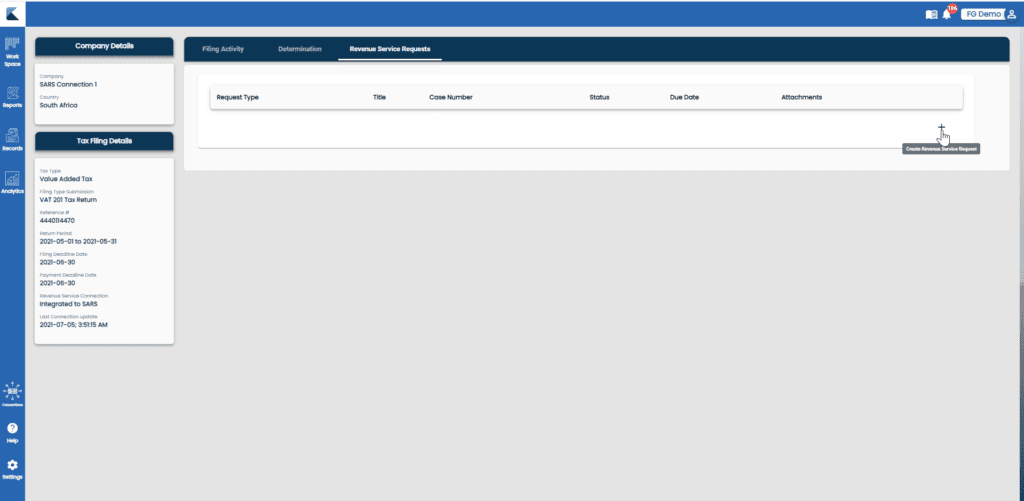
Click on the Revenue Service Request tab:

Click on the + to “Create Revenue Service Request”:
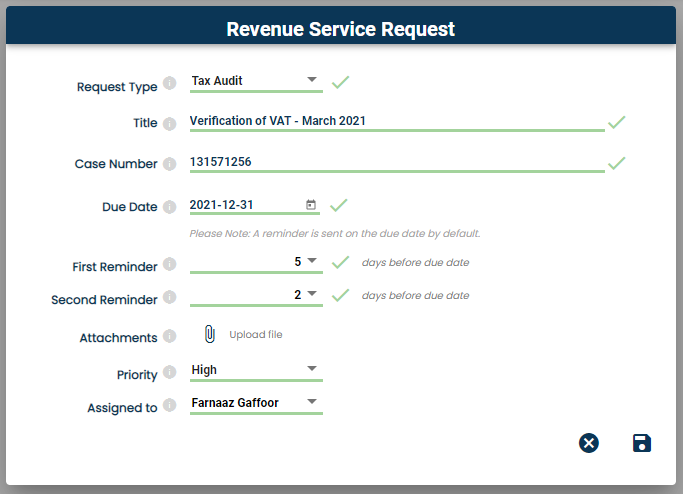
Complete all the information in the pop-up:
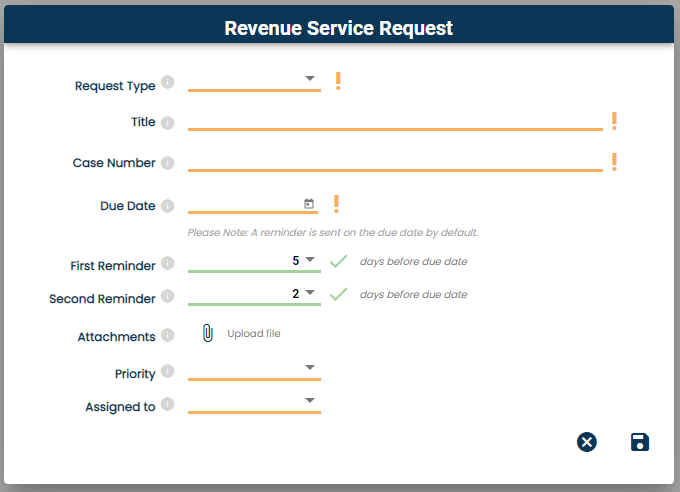
| Field | Description | Example |
|---|---|---|
| Request Type | There are 3 types of Requests that can be created:Tax AuditTax VerificationTax InvestigationThere is also an “Other” option, wher you can define your own request type, if the above is not suitable. | Tax Audit |
| Title | This is the title of your request and will be displayed on your card. | Verification of VAT201 – March 2021 |
| Case Number | This is a unique number issued by the Revenue Service to identify this request. | 131571256 |
| Due Date | This is the date this request is due to be completed. | 2021-07-31 |
| First Reminder | Select the number of days before the due date that you wish to receive the first email notification | 5 |
| Second Reminder | Select the number of days before the due date that you wish to receive the second email notification | 2 |
| Attachments | Upload any files related to this request (This can be done at a later stage in the Request card as well). | Verification letter from SARS |
| Priority | Categorise your request ito priority, i.e. High, Medium or Low | High |
| Assigned to | Which user will this request will be assigned to | Farnaaz Gaffoor |
Once completed, click on Save:
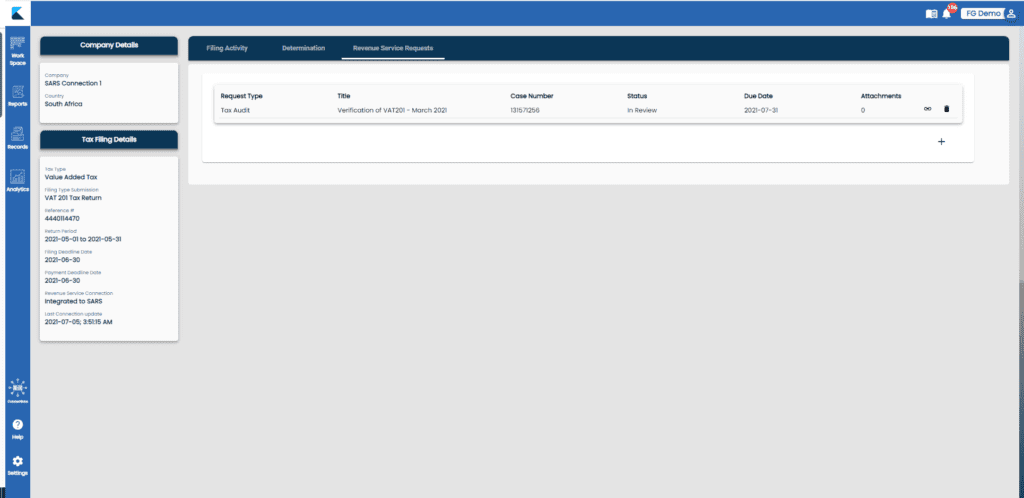
Once created:
- The Revenue Service Request will appear on the Revenue Service Request tab:
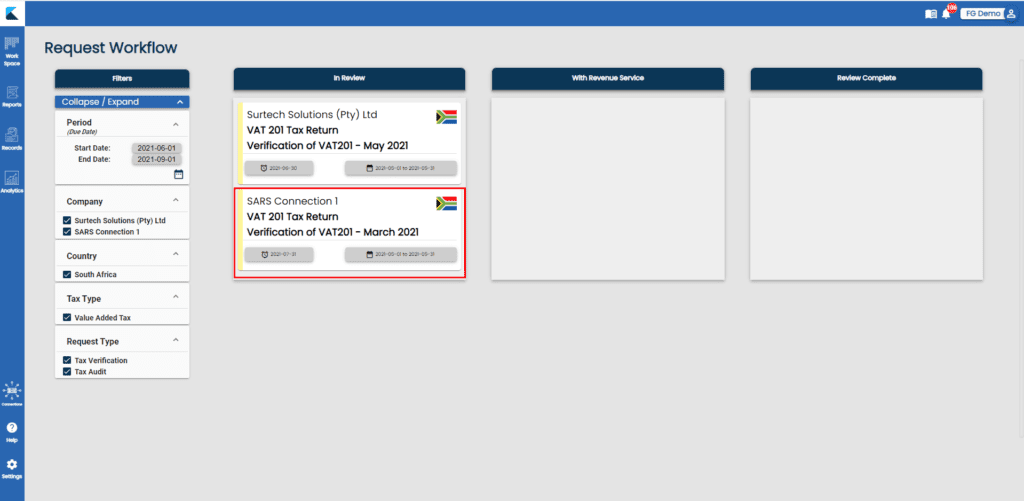
A card for this request has been created on the Request Workflow board:
Related Articles
How to add Revenue Service Request Card
What is a Request Card? These are cards that are created by either: Creating a Revenue Service Request from your original tax filing; OR Adding a New Request from the Request Workflow Board These cards are found on the Request Workflow board. When ...How to add Revenue Service Request Card
What is a Request Card? These are cards that are created by either: Creating a Revenue Service Request from your original tax filing; OR Adding a New Request from the Request Workflow Board These cards are found on the Request Workflow board. When ...Understanding and Managing Access to Request Cards
Introduction This article aims to provide clarity on the management of access to request cards in our tax software. A request card refers to a tax audit verification or a general request from SARS. This guide will help you understand how to create, ...Retrospective cards
Introduction When we add tax filings to Konsise, we select a first filing period. This first filing period represents the first card that is created for that tax filing in Konsise. Cards are then created for 5 years into the future, i.e prospective ...SARS Data: Timing of Retrieval of Correspondence & Viewing SARS Correspondence
Introduction When integrated to SARS, Konsise will pull any correspondence available in eFiling related to the tax filings that have been integrated. For example, ABC (Pty) Limited is integrated for their VAT201 submissions. Konsise will retrieve, ...